
Partnership with Solidify @Scale
- Zhi Lee
- 08 May, 2024
- 03 Mins read
- Agile Resources & Tools , Blog and Activities
We are excited to partner with Scaled Agile Partner and Microsoft Partner Solidify as their APAC region partner!

Why @Scale Changed Everything
Ever since I chanced upon the @Scale Azure DevOps extension, it has changed my life as a Release Train Engineer and Agile Coach.
Have you ever come out of a large planning session and spent hours, even days, formalising all your post-its (virtual or paper) into your ALM tool? Here’s an example of stickies galore after PI Planning with a small ART of 3 teams.
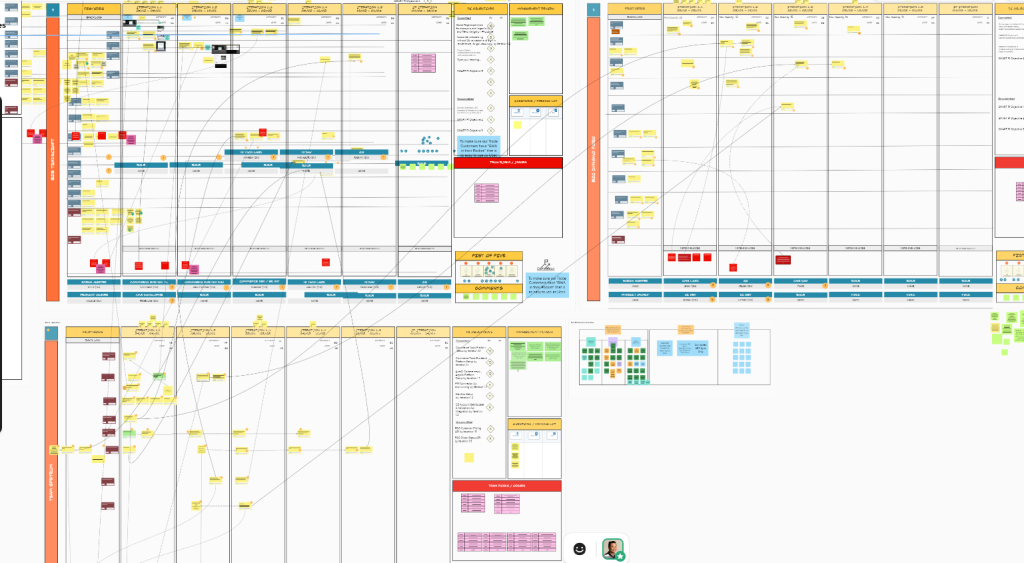
I’ve facilitated PI Planning with larger ARTs, such as this one with 10 teams. It’s a blank board but imagine the amount of dependencies and mop up of red strings after PI Planning.
The beauty of @Scale? You can plan directly in your ALM tool. For those working in Azure DevOps, you’re in luck. Here’s an actual board freshly emerging from PI Planning.
Alignment Equals Autonomy
I am a strong believer of “can’t see = can’t fix”. If you cannot see your work, you can’t address the problems or opportunities arising from it. As they (Henrik Kniberg) say, alignment equals autonomy. The more alignment you can give to teams, the more autonomous they become.
Here’s where @Scale comes in. A colleague of mine found the ADO extension as we were launching a new ART. It was prime time to try it out. After running with it for 2 PIs, we’ve grown so fond of it we cannot live without it. Here are some of the key features of @Scale.
Key Features
Dependency Management
This might look like your typical PI Planning board, but what you might not realise is it works directly from ADO. My favourite feature is being able to draw a dependency simply by dropping one card onto another.
Still looks like a dangerous sea of red? Click on a red line and it turns blue so you can easily trace the source of the dependency. Milestones appear on the timeline as coloured diamonds.
Risk Management
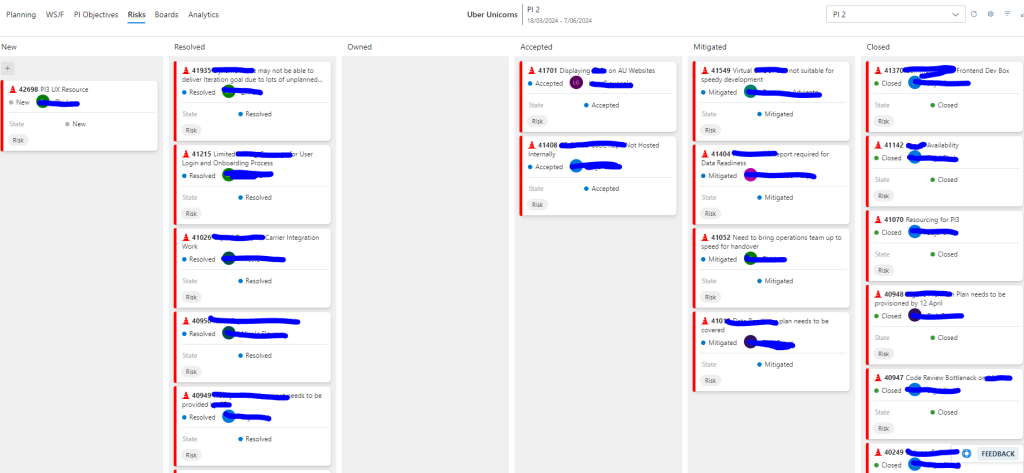
The most powerful tool that’s changed my life as an RTE is definitely using the ROAM board as a live document.
A likely reaction looking at the ROAM board is “Why are there soooo many risks”? This is because we are continuing to follow-up on PI Risks and cover new ones over the PI. I’ve watched many ROAM boards go stale. The biggest favour you can do for your teams is to use your ROAM board as a live artefact.
It’s so much more than a point-in-time output from PI Planning. It brings leadership teams together to unblock the ART!
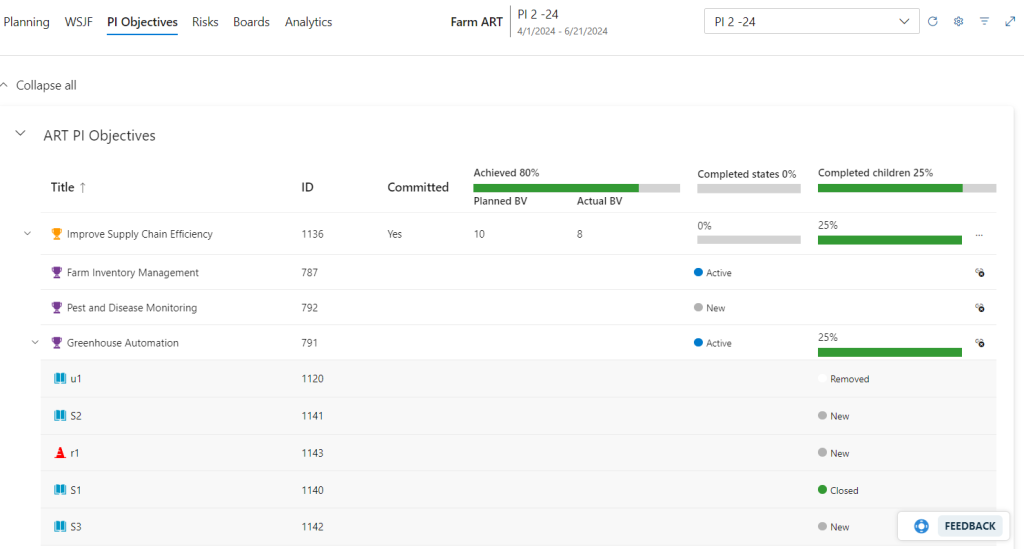
PI Objectives
These are the goals that teams and an ART emerge with from PI Planning. As an RTE, I have supported product owners to link features to PI objectives as leading indicators for progress. It has at many times, redirected focus at Iteration planning towards the goals we set out to achieve.
Conversely, if we were deviating from a goal deliberately (for good reason), then a conversation is enabled because we can see we are off track!
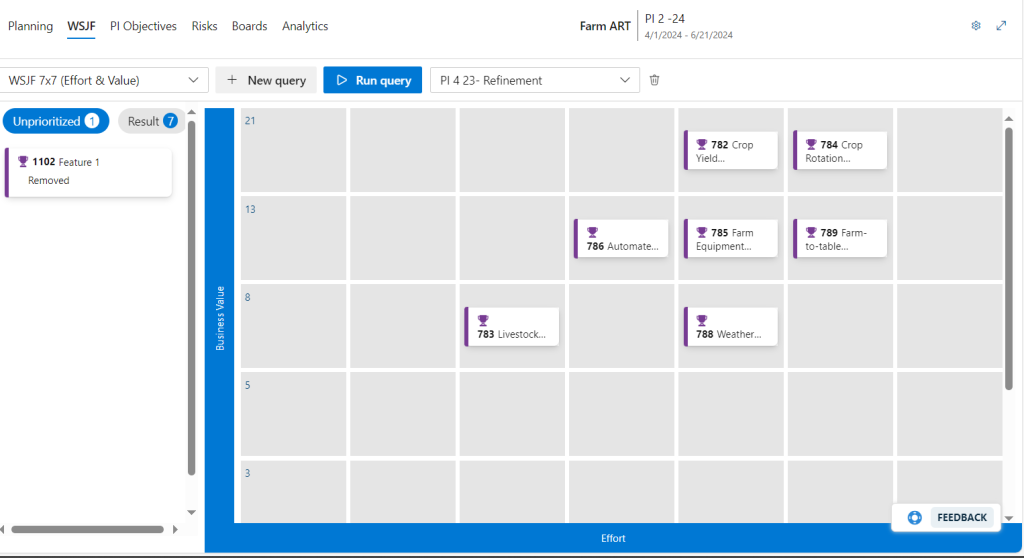
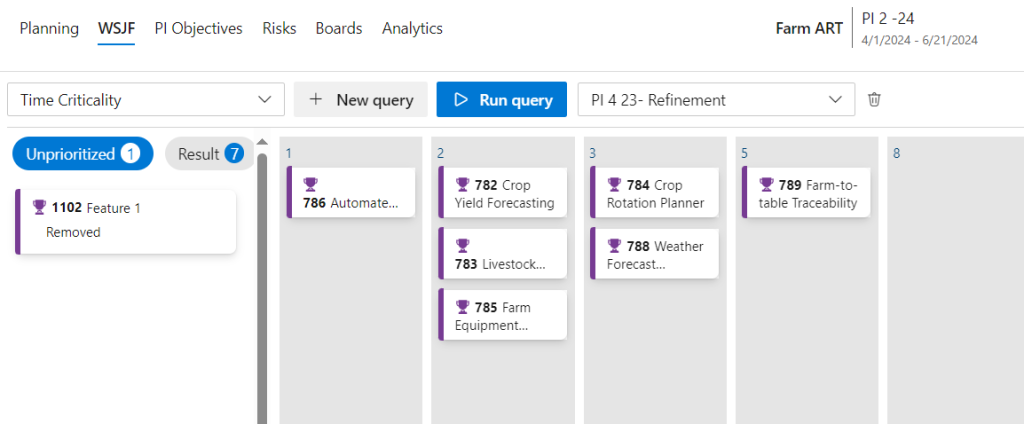
WSJF
The WSJF board is great for relative ranking and visualising how features compare to one another along a scale. It is also a huge discussion enabler if stakeholders and/or teams are misaligned.
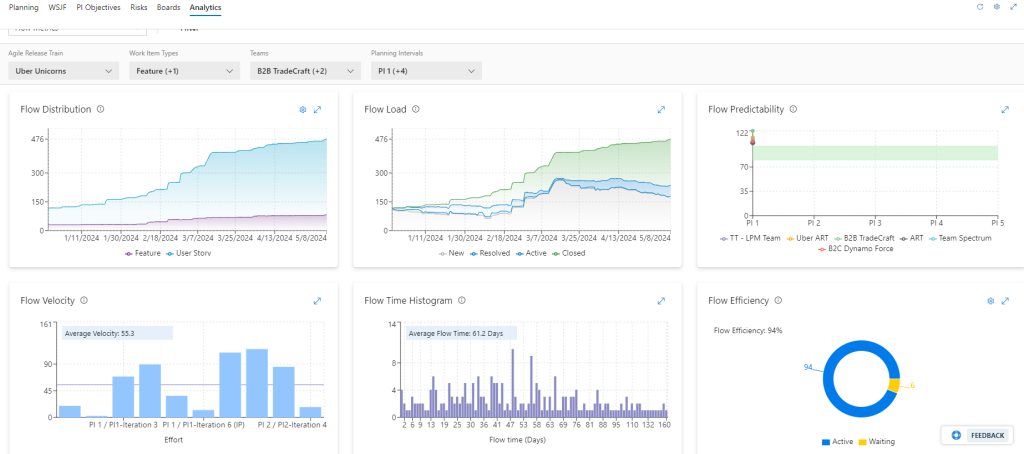
Flow Metrics
This is one of my favourite out-of-the-box features – a flow metrics dashboard. With the different filters, I can delve into a particular iteration, planning interval, or team. There is some configurability with the flow distribution and flow efficiency widgets, which allows me to delve into the story deeper.
Summary
@Scale has made my life so much easier as a coach and Release Train Engineer. It’s helped my Agile Release Trains to see where they are going, clearer!
Get in touch for a no-obligations free walkthrough!
Stop "doing" process. Start delivering results.
Get in touch nowSee how we can help fine tune your business.